Prevailing Wage + FRINGE Calculations
Prevailing wage is base rate plus fringe rate — and the math is different for every worker, every project, every week. WagePath takes your rate setup and applies it with precision: right classification, right fringe offset, right overtime calculation. Every pay period, before payroll runs.
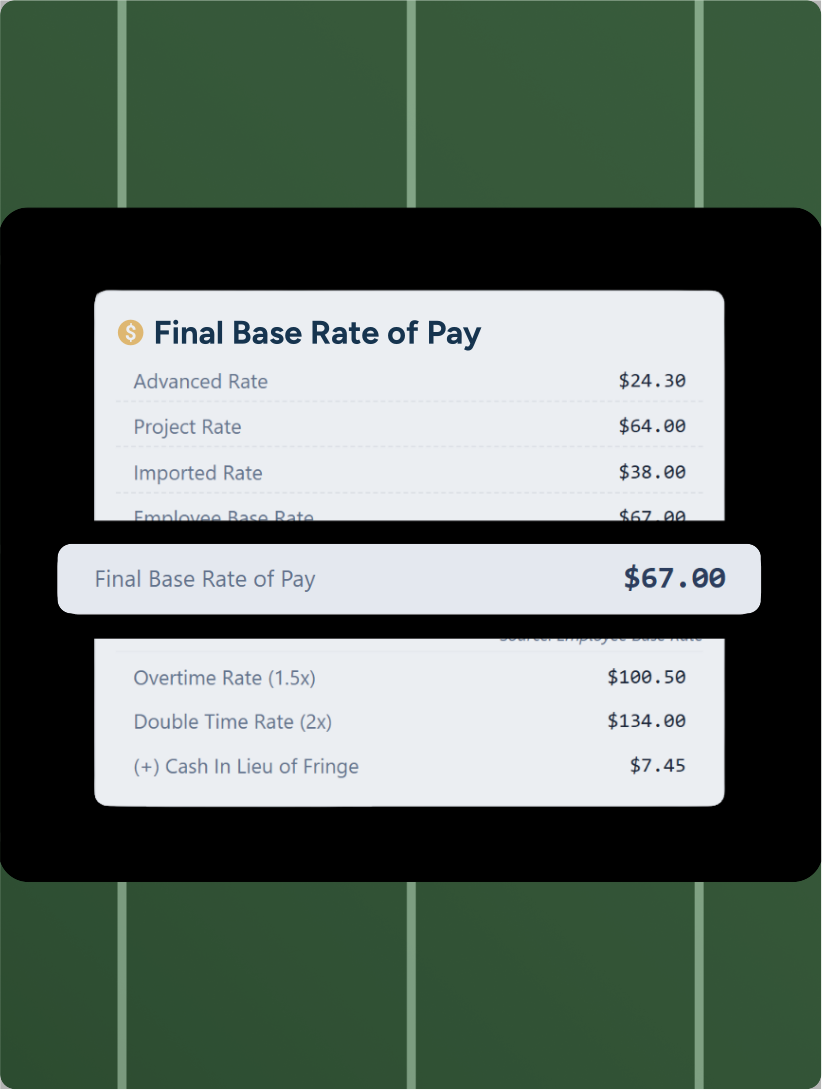









Prevailing wage rates vary by project, location, and work classification. A laborer on a state highway job in one county may have a completely different base rate and fringe obligation than the same employee on a municipal water project nearby.
With WagePath, attach wage determinations directly to each project. When time comes in, the correct base rate and fringe rate are applied automatically based on where the work was performed and what classification the hours fall under. If an employee works multiple classifications in the same week, each hour is calculated at the right rate for that work.
.svg)
Most contractors don't realize they're overpaying labor on public projects. For contractors providing qualifying benefits like health insurance, dental, 401(k), or paid time off, those benefits can offset the fringe rate dollar-for-dollar. WagePath calculates the hourly equivalent of each qualifying benefit and applies those credits automatically against the fringe requirement. For contractors, this equals compounding savings over time, enabling more competitive job bids moving forward.
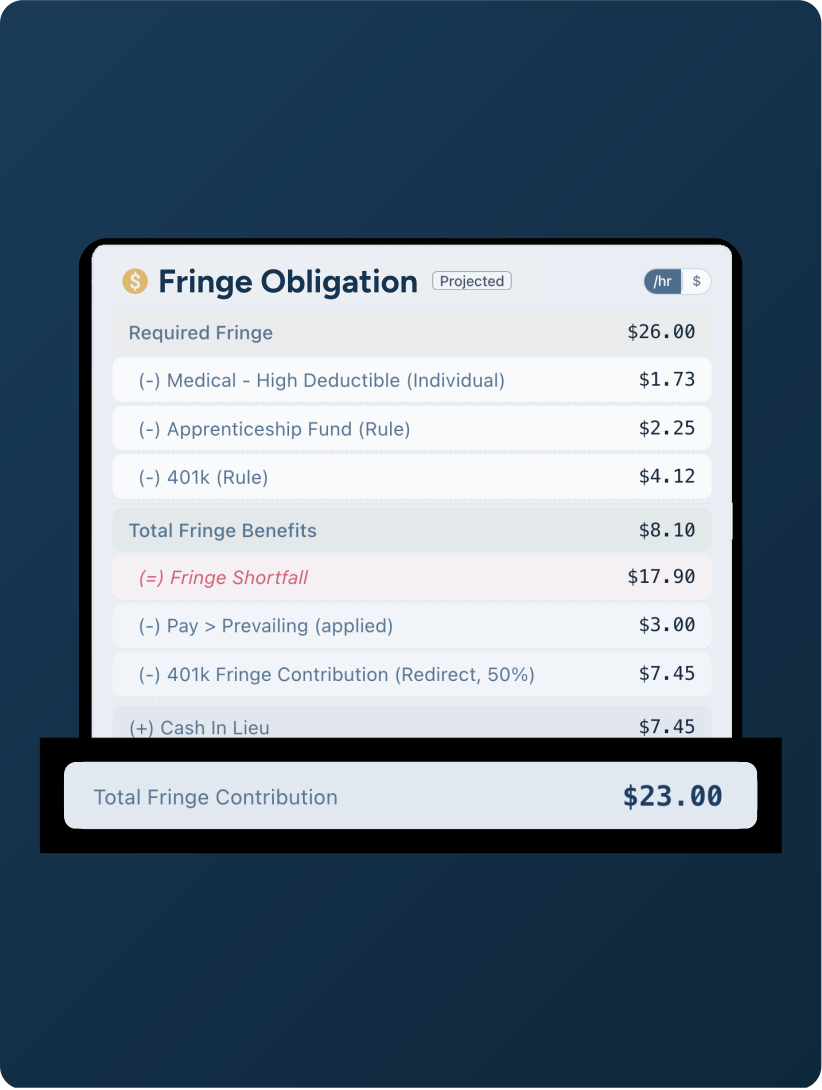
When a laborer splits their week between a certified job and regular work, two sets of rules apply simultaneously — and both have to be right.
Hours worked on the prevailing wage project must be paid at no less than the required prevailing wage rate, including overtime. At the same time, any overtime earned across the full week must be calculated as a weighted average of all earnings under FLSA §778.115 — not just applied at whichever rate the employee happened to be earning when they crossed 40 hours.
Most systems handle one or neither. WagePath calculates both the prevailing wage floor and the weighted average overtime premium automatically, and applies whichever produces the compliant result for each hour.
.svg)

"I can't believe how easy WagePath makes certified payroll. Overnight, our clients can produce any report format they need, right when they need it. You took us from dreading certified to loving it."

Rich Murray
President & Co-Founder, Trust Point Payroll
THE PREVAILING WAGE CONNECTIVITY LAYER
WagePath sits between your time tracking tools and your payroll system. Import time from ServiceTitan, Aspire, LMN, Procore, or any other field tool. Send accurate, compliant wage data to UKG, isolved, Paycom, Paylocity, Gusto, or any other payroll tool. Your team keeps the platforms they know. WagePath adds the prevailing wage calculation layer you've been missing.
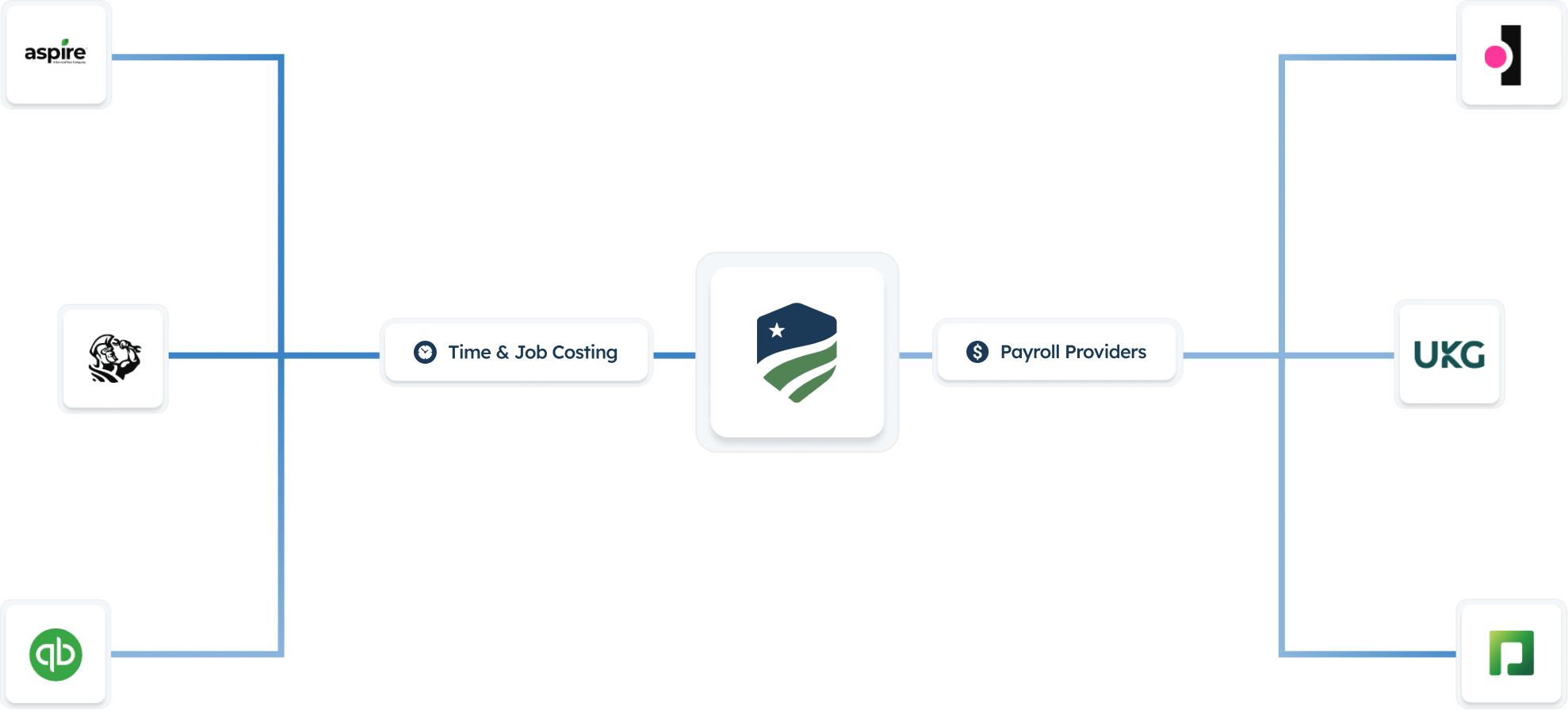
Stop patching spreadsheets into your payroll workflow. WagePath connects to your existing systems and handles prevailing wage calculation and certified reports end-to-end — rates, fringes, reports, and audit trail included.
.png?width=1040&height=1080&name=Frame%201272638111%20(3).png)